
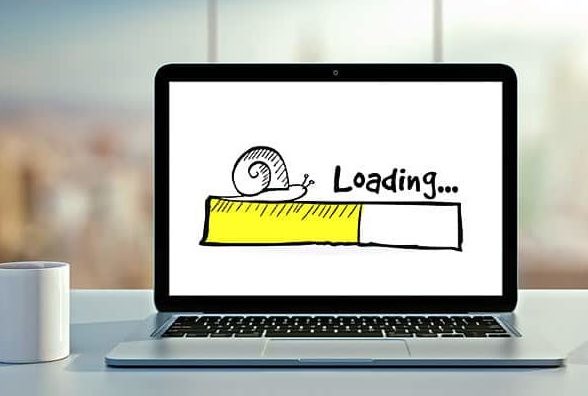
A slow website does not send you an alert. It does not throw an error or display a warning. It just quietly loses customers — one page load at a time — while the business assumes everything is working.
Most small business owners have never timed how long their site takes to load on a phone. Not their office wifi. Not their laptop. Their phone, on mobile data, the way a customer finds them for the first time.
That number — those seconds between tapping a link and seeing something on screen — is where customers make their first decision about your business. And most of the time, no one is watching it.
At ELANBRIWEB, website speed is the first thing we check on any site we are asked to evaluate. It is almost always the fastest and most impactful thing to fix. Here is what causes it, and what it means for your business.
What Slow Actually Means for a Visitor
Three seconds sounds short. In website terms, it is a long time.
Research consistently shows that more than 40% of mobile visitors abandon a page that takes longer than 3 seconds to load. They do not try again. They do not scroll down. They leave and find someone whose site was faster.
For a business getting 500 visitors a month on a 5-second mobile load time, that means roughly 200 of those visitors never see a single word of content. They were gone before the page appeared.
That is not a traffic problem. That is a speed problem disguised as a traffic problem.
How to measure yours: open PageSpeed Insights, enter your website address, and look at the mobile score. Anything above 85 is solid. Between 70 and 84 needs attention. Below 70, you are losing a meaningful portion of your visitors before they arrive.
Reason 1: Your Images Are Too Heavy
This is the most common cause of a slow website — and the easiest to fix.
When a photographer or designer saves an image, they save it at full quality because it looks best that way. When that image ends up on a website without being resized or compressed, the visitor’s phone has to download a file that might be 4MB or 6MB just to display a photo on a screen.
On a fast connection, this is barely noticeable. On mobile data — which is how most of your visitors arrive — it adds seconds.
What this looks like in practice: a homepage hero image that looks identical whether it is 4MB or 300KB. The visitor cannot see the difference in quality. They can feel the difference in wait time.
The fix is straightforward: images need to be compressed and served in a modern format before they go onto the site. This is something your developer handles. If your current site was built without this step, it is worth asking about.
Reason 2: The Site Loads Too Many Things at Once
Every tool added to a website — a chat widget, a booking plugin, an analytics script, a cookie banner, a social media feed — adds to the list of things the visitor’s phone has to load before the page appears.
Each one individually seems small. Together, they add up. A site with 12 third-party scripts can easily take 7 or 8 seconds to become usable, even if the design looks simple and clean.
The problem is that most of these tools load before the actual content of the page. The visitor is waiting for a chat bubble and a cookie notice while the page they came to see is still loading underneath.
The question to ask your developer: which third-party tools are loading on this site, and do any of them need to load immediately? Most do not. Deferring non-essential tools — loading them after the main page content appears — can cut load time significantly without removing any functionality.
Reason 3: The Hosting Cannot Handle Real Traffic
Hosting is the physical location where your website files live. When a visitor loads your site, their phone sends a request to that location and waits for a response.
Budget shared hosting — the kind that costs a few dollars a month — means your website shares a server with potentially hundreds of other websites. When any of them receive traffic, your response times slow down. When your own site receives a spike in visitors, the server struggles to keep up.
The result is a site that loads acceptably on a quiet Tuesday afternoon and crawls on a Friday when traffic is higher.
What good hosting feels like: consistently fast, regardless of time of day or traffic level. The Time to First Byte — the time between a visitor requesting your page and receiving the first piece of data — should be under 600 milliseconds. PageSpeed Insights shows this clearly under “Server Response Time.”
Upgrading hosting is often the single highest-impact change a slow site can make.
Reason 4: Nobody Has Looked at This Since Launch
A website built two years ago on technology that was reasonable then may be running on outdated software today. Platforms update. Security patches change how things load. Plugins that worked efficiently on launch accumulate weight over time.
A site that scored 80 on PageSpeed at launch may score 55 today — not because anything was changed deliberately, but because nothing was maintained.
What this means: speed is not a fixed property of a website. It requires occasional attention. Running PageSpeed Insights on your site every three months takes two minutes and immediately shows whether something has changed.
If the score has dropped since launch, the culprit is almost always either a new plugin, an updated third-party tool, or images added without compression.
What to Do Right Now
You do not need to understand the technical reasons behind a slow site to fix one. You need two things: the score, and a developer who knows what to do with it.
Here is the process:
- Go to PageSpeed Insights and run your site on mobile
- Screenshot the score and the top three issues listed underneath it
- Send that screenshot to your developer with a simple question: “What would it take to get this score above 85?”
A developer who knows their work will give you a clear answer. If the response is vague, dismissive, or arrives with a very large number — that is information too.
At ELANBRIWEB, a speed audit is the first thing we do on any existing site before recommending anything else. Because fixing speed is almost always faster, cheaper, and higher-impact than redesigning.
A slow website is not a design problem. It is not a content problem. It is a technical problem with a business consequence — and it is one of the most fixable issues a site can have.
If you want to know exactly what is slowing your site down and what it would take to fix it, get in touch with ELANBRIWEB — we will run the audit and tell you exactly what we find.